

We are pleased to announce the release of version 20.2 for TiVo Premiere, TiVo Premiere XL, and TiVo Premiere Elite. Some of you may have already received the update on your TiVo Premiere box, but if not, you will automatically receive the update by the end of the month.
We’ve made significant changes to our HD menus to make them smoother and faster – but the most exciting news is the conversion of our video watching and Guide experience into HD, along with the addition of Premiere-to-Premiere Multi-Room Streaming.
Here are some of the new things you’ll find:
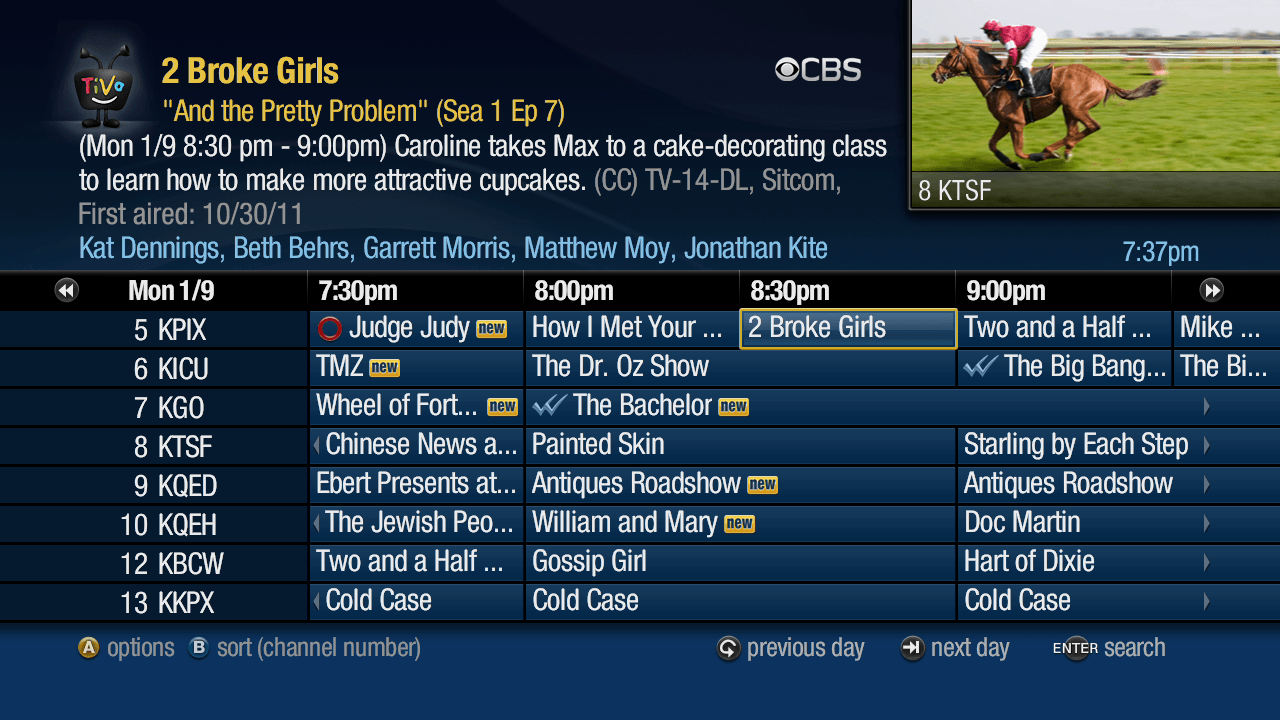
Grid Guide and Live Guide are now in HD

Whether you prefer the traditional Grid Guide or the TiVo Live Guide, both are now updated to take advantage of your HDTV. The Guides display the live or recorded show you’re watching in the corner, instead of in the background. The Guides have icons to show what is currently recording, and what will be recorded. A “new” icon appears next to new episodes, and you can now see the season and episode number and first aired date. You can even sort by channel name if you want to quickly find “CNN” or “USA” and you don’t remember their channel numbers.
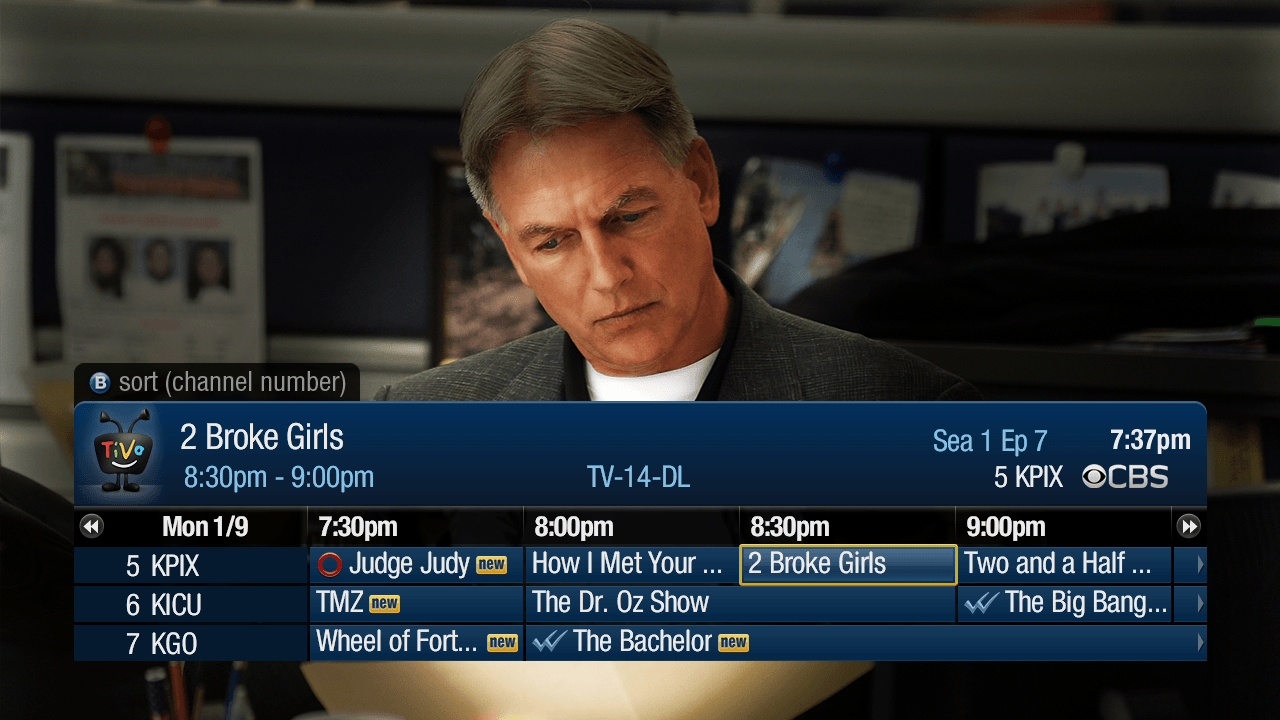
Introducing the Mini Guide
If you’d rather scan through the Guide three channels at a time, try the new Mini Guide. Press SELECT when you’re watching live TV or a recording to make it appear. Move around the Mini Guide using the arrow keys or channel up and channel down, then press ZOOM or CLEAR to dismiss it.
New Info Banners
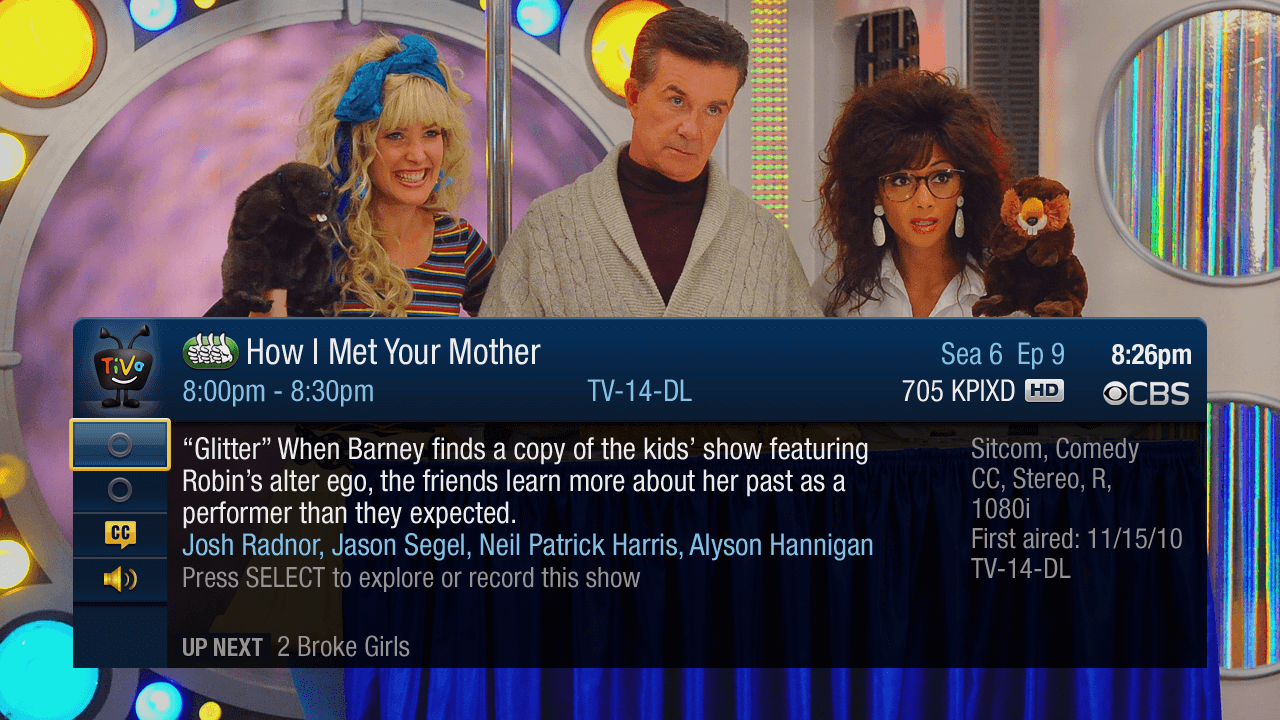
There’s a new look for the Info Banners that display information about the show or movie you are watching.
When you first enter Live TV, you’ll see the standard size Info Banner. It has information about the show, what’s up next on the channel, and how much of the current show is saved – in case you want to rewind.

When you channel surf in live TV, you’ll see the standard size Info Banner, which will show you what’s on now, and what’s up next.

Any time you want more information, press the INFO button to see the full size Info Banner.
When you start playing back a recording from My Shows, the Info Banner includes the TiVo Status Bar.

Multi-Room Streaming
If you have two TiVo Premiere boxes on the same home network, you now have the option to “Play” the show from one Premiere on the other Premiere. You no longer need to transfer the show – it will stream. If you have recordings from channels that do not allow transfers, you should now be able to stream them instead. Multi-Room Streaming of HD shows is not recommended on wireless networks. Wired Ethernet will provide a much better experience.
Once you’ve watched the show, you can remotely delete it off of the TiVo Premiere that recorded it.

Updates to the Discovery Bar
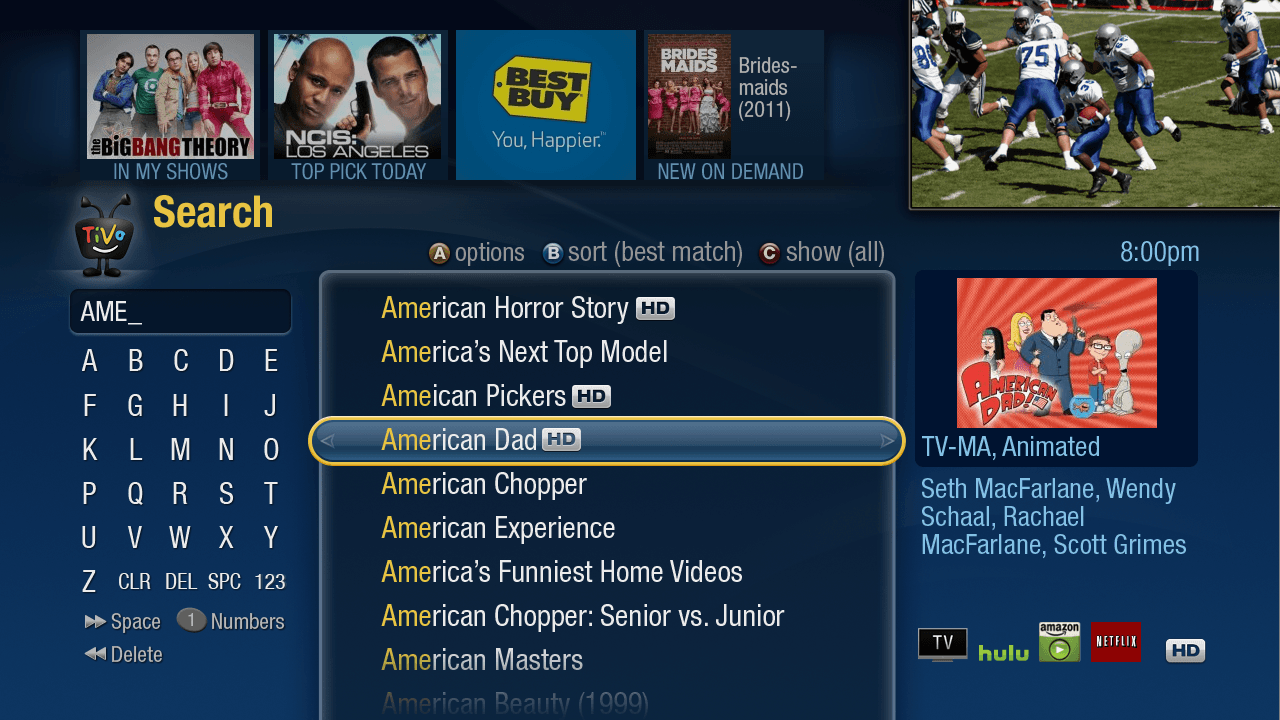
The Discovery Bar gives you a quick way to watch or schedule a show that interests you. We’ve made several changes to the Discovery Bar with this update. We now only show four items in the Bar if the Video Window is on, or six items if the Video Window is turned off. The Bar no longer scrolls, but each time you visit a new screen you’ll continue to see new Discovery Bar items. You can also see at a glance why an item is in the Bar. Each item has a label below the image.
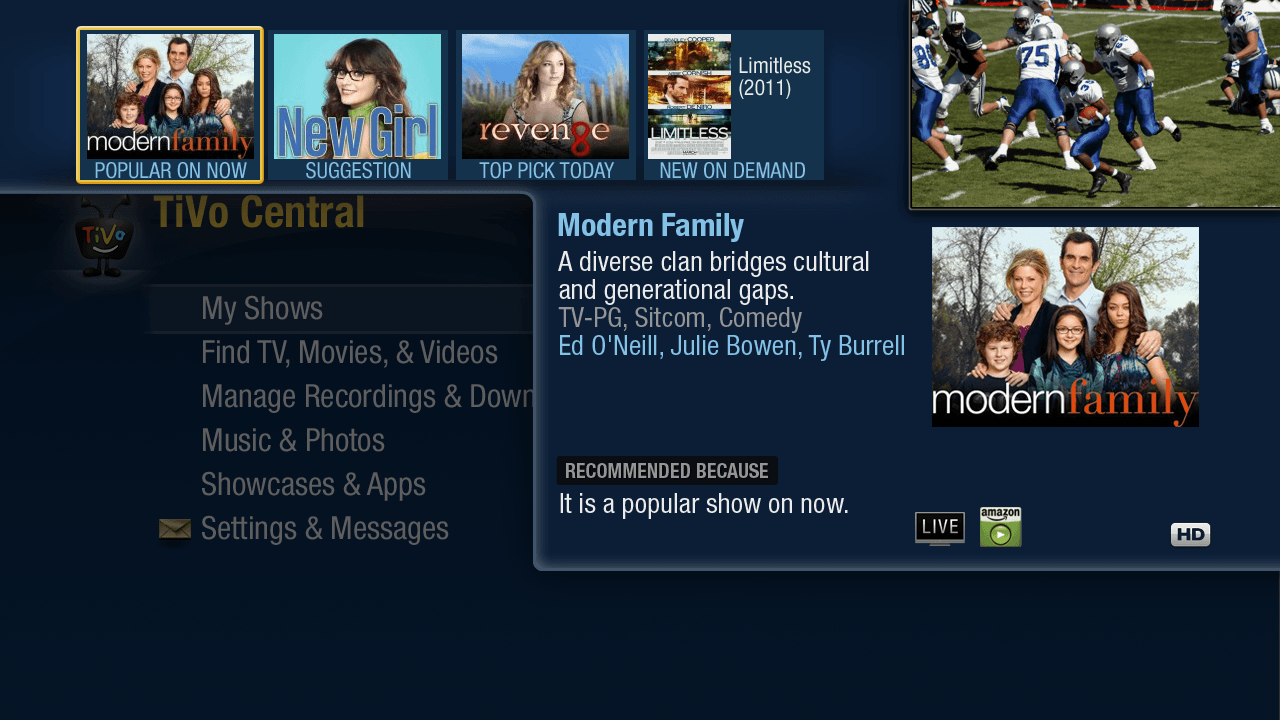
Discovery Bar items include:
- POPULAR ON NOW – a popular Season Pass on TV right now
- SPORTS ON NOW – a popular sports event on TV right now
- TOP PICK TODAY – a recommended show or movie airing today
- TOP PICK – a recommended show or movie airing this week
- POPULAR ON WEB – an episode of a popular video podcast
- NEW ON DEMAND – a movie that is newly available from a video provider
- SUGGESTION – a show or movie you may like, based on your THUMBS UP ratings of other shows
- IN MY SHOWS – a show that recently recorded
If you want to change which items appear in your Discovery Bar, go to Settings > Displays > Customize Discovery Bar.
Search Improvements
We’ve made some great additions to Search:
– You can now use Search to find shows and movies available from Hulu Plus
(in addition to Amazon Instant Video, Netflix, and Blockbuster).
-You can search for a Channel by name, like “MTV” or “Lifetime”.
-If you don’t find what you’re looking for, you can create a WishList search based on what you have already typed in.
More Updates Coming
The update will be available on all TiVo Premiere boxes (purchased from tivo.com or a retailer) by the end of the month. TiVo Premiere boxes provided by cable companies will be updated this Spring.
There are a few more things coming this Spring:
-Parental Controls in the HD Menus
-New Netflix app
-New YouTube app
-Xfinity On Demand from Comcast
(only available in select geographical markets; timing of feature availability will vary by market)
We’re very excited to start 2012 with this update for TiVo Premiere. We look forward to bringing more updates throughout the year!
Margret Schmidt is Vice President of User Experience, and has been responsible for the design of TiVo since 2001. You can follow her @tivodesign

 tivoinfodraft.data.blog